LOUDNESS / SHARPNESSHYPHA PUBLIC CORE
- Zwicker Loudness
- —sone
- Sharpness
- acum
BROWSER EXPERIENCE ·
Kirin OS / A FIRST LOOK
Drop a track.
Explore loudness and hearing-related changes, then listen to the same moment. Experience the white stone and instruments from Kirin OS.
An early experience for Chrome on desktop. Not yet tested in Safari or on an iPhone. Audio stays on your device: no uploads, storage, or autoplay.
Your audio stays here.
No uploads · No storage · No autoplayYour results appear here.
Explore the waveform, loudness, and hearing-related features.Press Play to listen. Adjust playback volume on your device.
Whole-track loudness
Maximum peak, including between samples
Largest recorded sample value
Root-mean-square signal level
Samples per second
WAV sample bit depth
Spread of short-term loudness
The Eye depicts the whole-track measurements: 100 ms LUFS-M around the rim, LRA in the pupil, and mean Bark loudness in its wreath and colour. Playback changes the position light and pupil size. Colour is not an audio-quality rating.
VU uses each channel’s rectified 100 ms average. Choose a sine-wave reference from −12 to −20 dBFS for 0 VU. The setting is retained only for the current measurement. The lamp indicates a sample peak of at least −1 dBFS during the past 400 ms, not True Peak.
Explore loudness across 20 hearing-related bands. This is a different measure from spectrum amplitude.
The calculation assumes 0 dBFS equals 1 Pa. It cannot measure actual room SPL or hearing safety. Channels are measured independently and averaged; whole-track means use all internal 2 kHz observations.
From a time or band of interest to a before-and-after comparison. Explore Hypha PRE / POST measurement
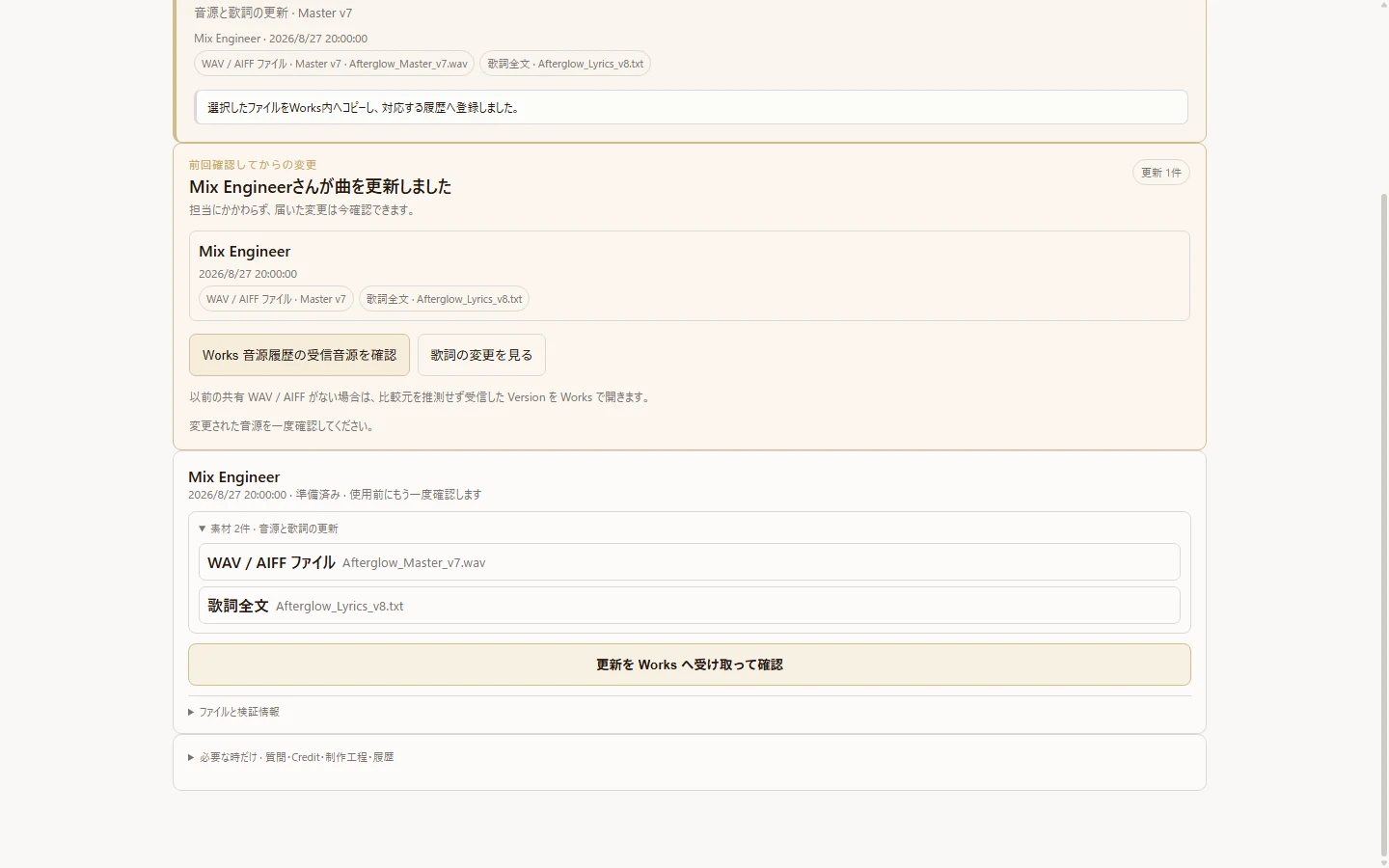
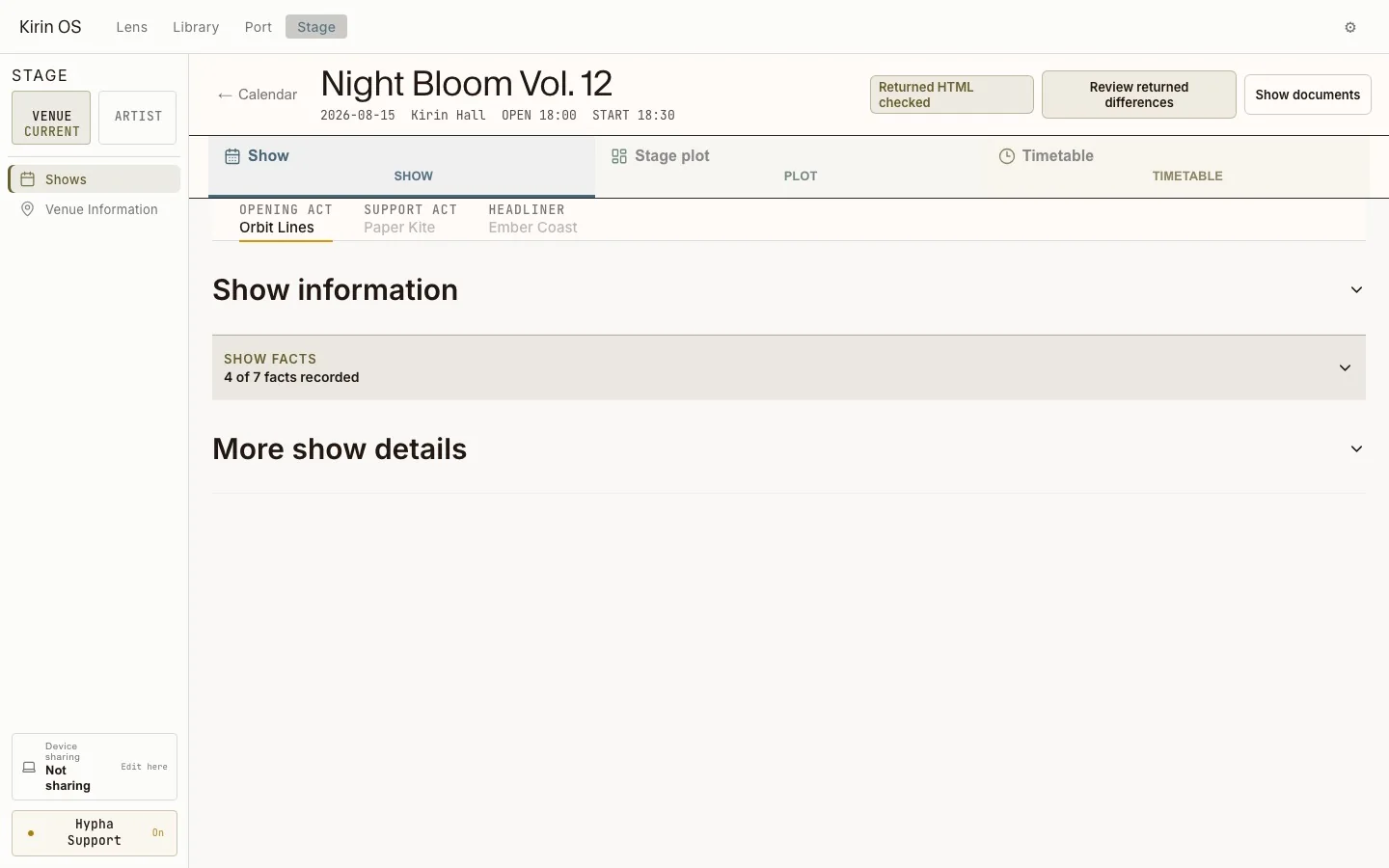
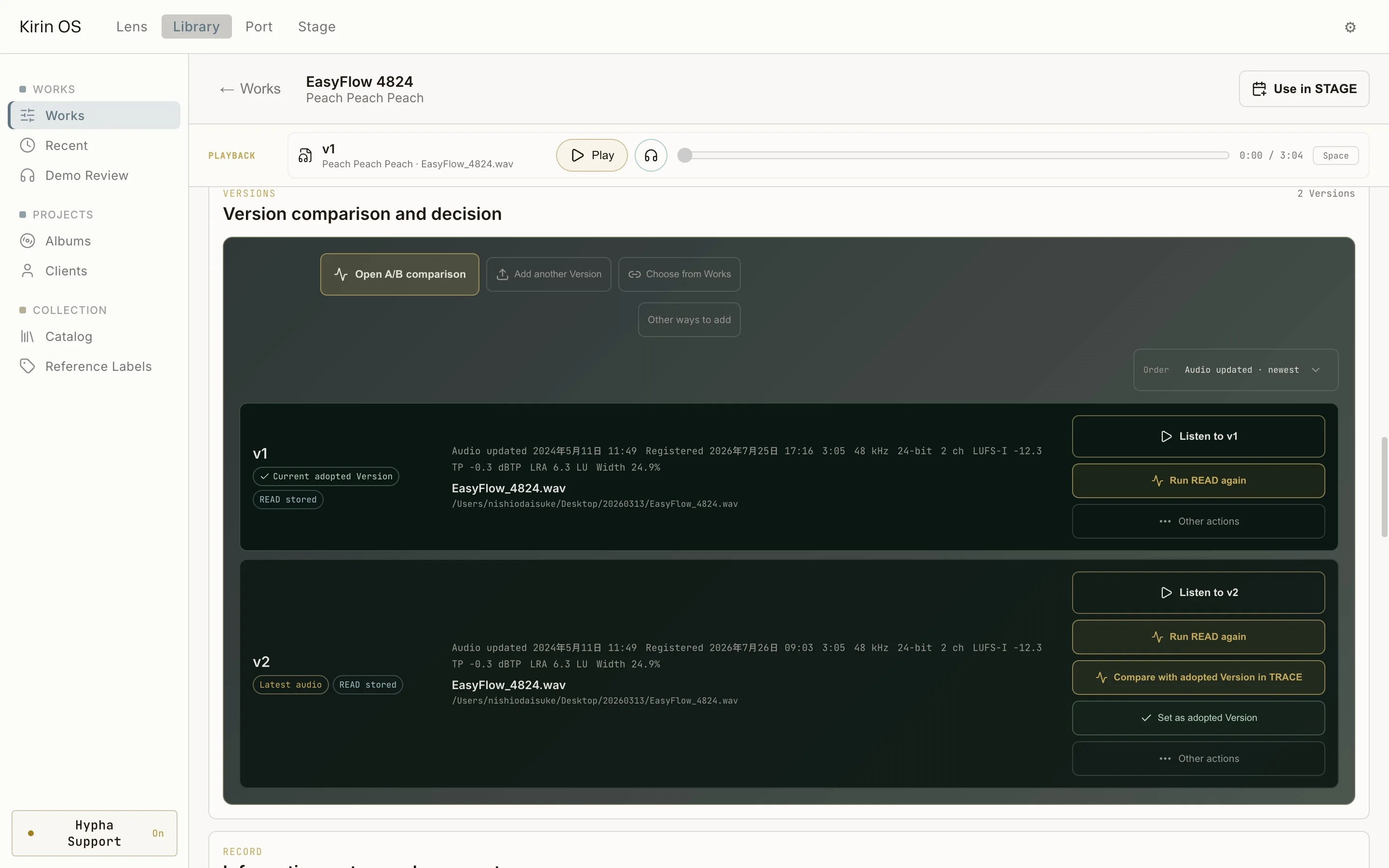
Operation examples captured in August–September 2026. The current white-stone appearance differs. Each page explains the detailed steps and conditions.
An illustrative example at 120 BPM: C → Am → F → G. It is not beat or chord analysis of your audio. Lyrics entered here are never saved or sent.
This browser experience does not automatically analyse beats or chords. New tempo, metre, Key, and Chord candidates in app version 1.0.9 are undergoing quality verification; automatic adoption is not enabled.
A website interaction example only: no STAGE saving, QR sharing, or viewing on another device. Clearing audio also clears these inputs.
Explore waveform, sample peak, RMS, LUFS-I/M/S, True Peak, LRA, Zwicker Loudness, Sharpness, Bark specific loudness, PSB, the Eye, and VU. Automatic beat and chord analysis is not included in this public experience.
This page runs public ebur128 0.1.10 and Hypha psychoacoustic cores as WASM. Limited known-signal and independent-reference tests have been performed. This is not standards certification or a guarantee of full parity with product binaries. No private Kirin OS engine is distributed.
LRA is unavailable for tracks shorter than 3 seconds or when the signal is below the loudness gate. Values for tracks shorter than 60 seconds are provisional. Momentary loudness requires a full 400 ms window; short-term requires 3 seconds. Missing or failed measurements are never replaced with zero.
Supports 44.1/48/96 kHz, mono/stereo PCM or IEEE float WAV, up to 5 minutes, without a file-size limit. MP3, AIFF, RF64, and extensible WAV are not supported. The 12-second synthetic demo uses the same public calculations. Close the tab or clear to discard results.