KIRIN OS / COLLABORATION
Listen.
Respond.
Send a version. Receive comments at the right moment. Keep the decision with the track.
COLLABORATION
Collaboration
Share versions, review time-linked comments, and keep delivery decisions in Kirin OS Collaboration.
01 / PREPARE
Send the
right version
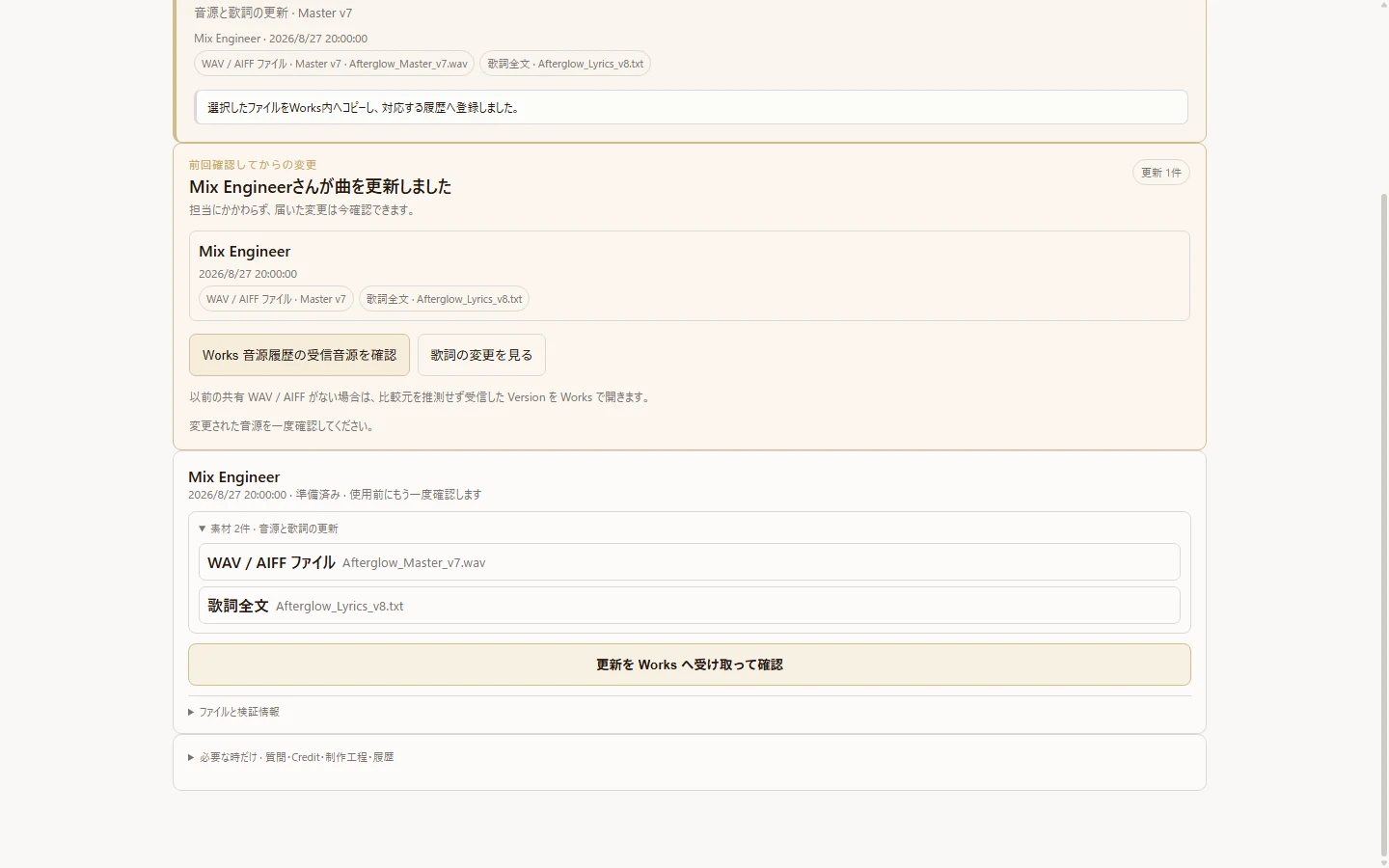
Start from a Work and invite the other person. Use a shared folder to hand over the selected audio version and related files. The receiver checks the incoming update before adopting it.
The file, version name and measurement record stay connected. Compare received audio with the previous version even before measurement; loudness matching starts off and can be enabled when needed.

02 / LISTEN
Comments at
the right moment
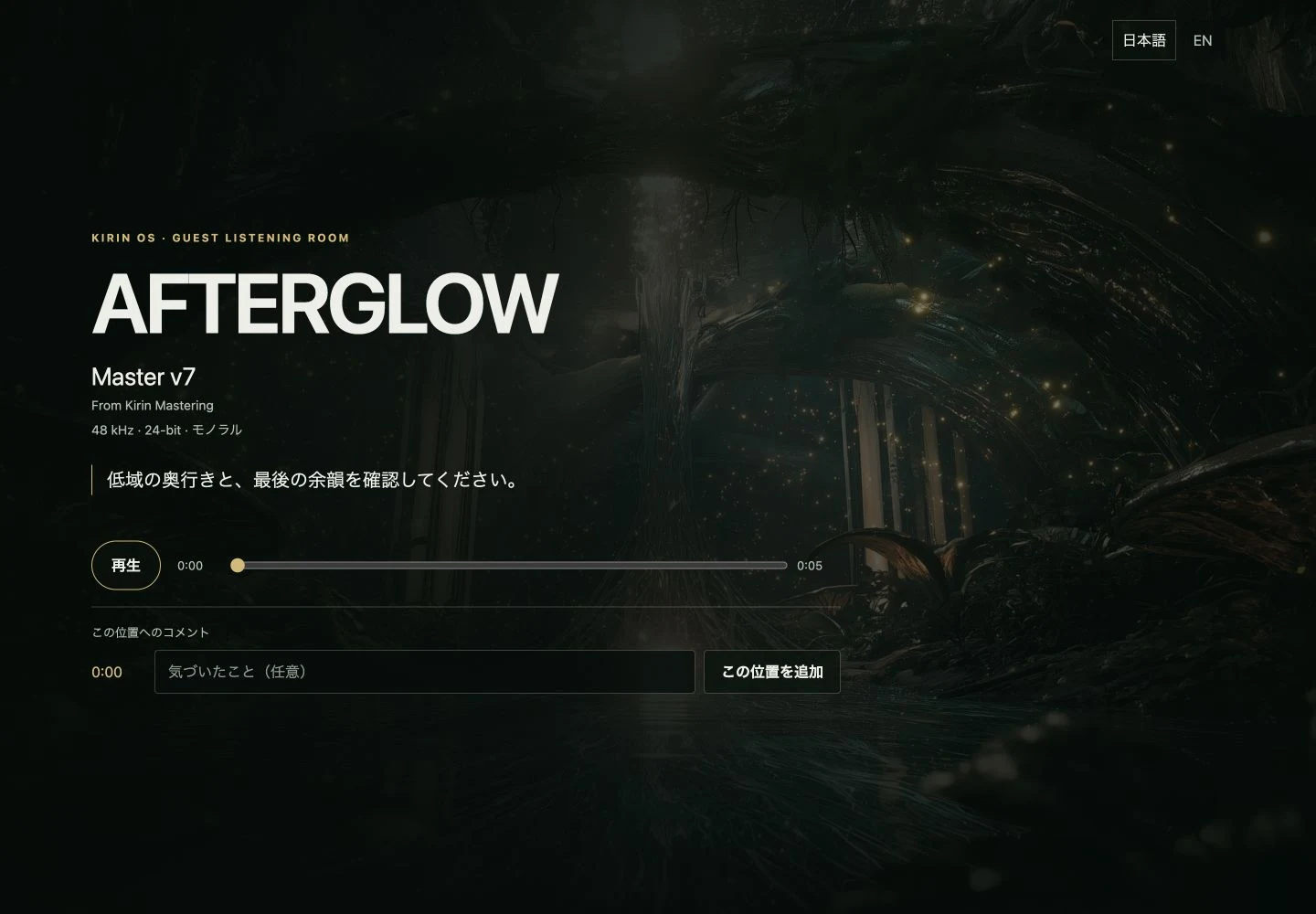
Export a Listening Room HTML for someone who does not use Kirin OS. They can listen in a browser and leave comments linked to a playback position.
The listener returns response text through a messaging app or email. Paste it into Kirin OS, review it, and explicitly apply it to the production history. The HTML does not send a response automatically.
03 / KEEP
Keep the
decision
Review time-linked comments, mark the version as checked, and adopt the version you want to use. The decision belongs to the track, not a disconnected message thread.
Collaborators take turns making updates. Hand over responsibility for the next update when your turn is complete. It is not simultaneous editing of one document. Shared-folder synchronization and your chosen handover method remain necessary.
Audio received
Confirm the file and version.
Listen and respond
Keep comments tied to playback positions.
Adopt and record
Make the decision explicitly in Kirin OS.
Before sharing
You and the recipient arrange access to the shared folder and the files. Exported Listening Room HTML is a file you hand over, not a hosted public link. Use a trusted handover channel and share only files you are allowed to distribute.