
Official Release / July 22, 2026

KIRIN OS 1.0

Your music knows itself.

Kirin OS 1.0

A song is born. It grows.
Then it lives on in someone’s record.

Kirin OS begins with measurement.
It is a music tool for observing and recording a song from different angles.

Measurements stay local,
while values and differences can be compared on screen.
Psychoacoustic measurements designed around human hearing
record the texture of individual sounds, and of the song as a whole, in vivid detail.
Timecode lets you return to a moment
and listen again for yourself.

Kirin OS supports artists and sound engineers through music production and release.
It also helps organize and share information for live performance.

To judge the ideas and intentions within a song
with your own ears and sensibility,
Kirin OS follows the path of its sound, moment by moment.

Into the life of one song The record is still empty.

A life of one song / 23 records

The song moves. The record grows.
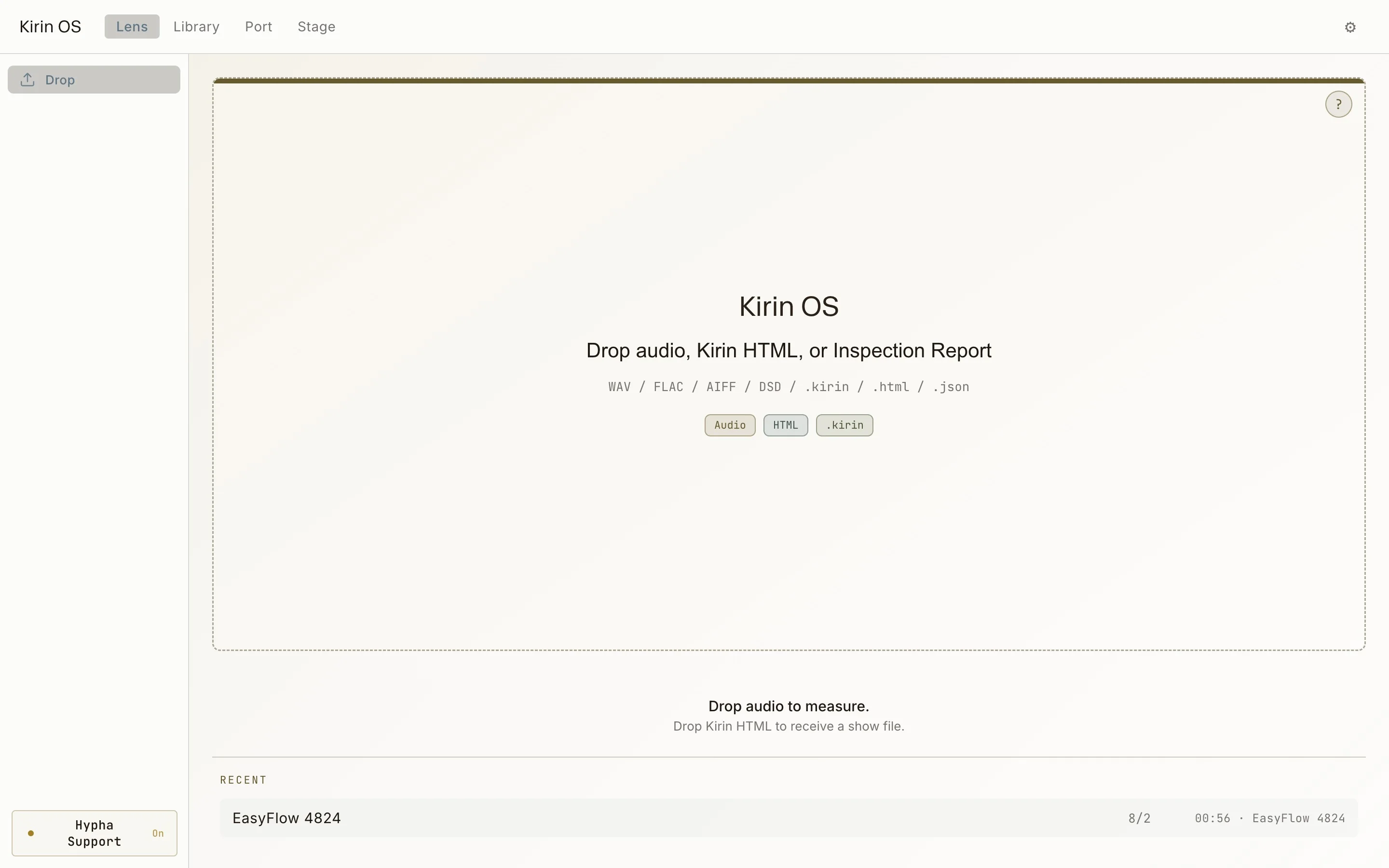
Current Kirin OS Drop screen
Source / empty Drop screen
Current Kirin OS Studio Passport screen
Studio Passport / registered studio profile
Current Kirin OS Studio Signal Flow screen
Signal Flow / buses, auxes, and returns
Hypha PRE / M and S before the chain
Hypha POST / paired PRE and POST
Current Kirin OS Lens screen measuring a STEM set
Drop / measurement in progress
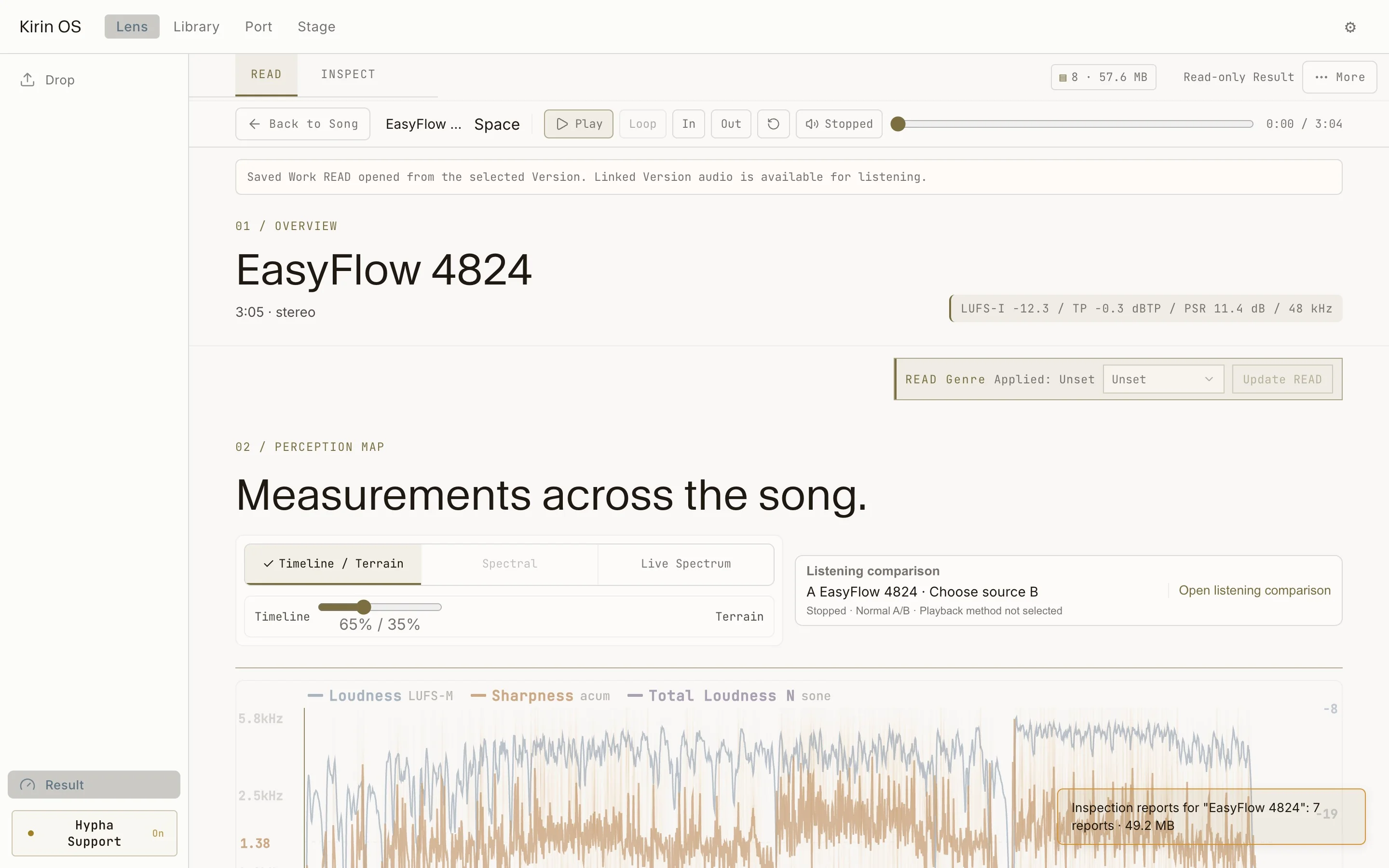
Current English Kirin OS READ screen showing Width, Crest, LRA, and the Perception Map
READ / Timeline and Perception Map
Current English Kirin OS INSPECT screen showing detected events
INSPECT / events and timecodes
Current English Kirin OS STEM channel assignment
STEM / channel assignments
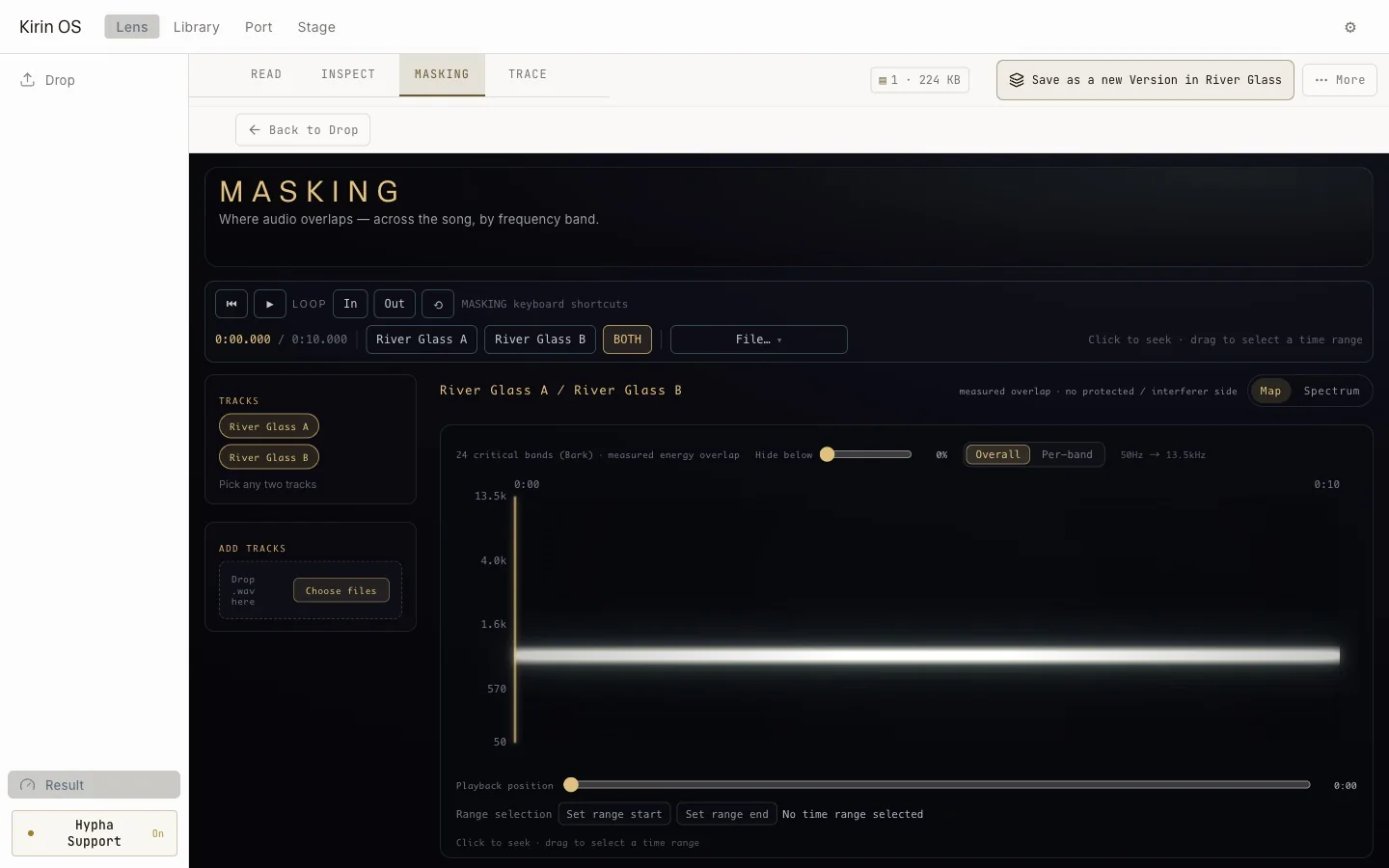
Current English Kirin OS MASKING view showing overlap across time and frequency bands
MASKING / overlap by time and frequency
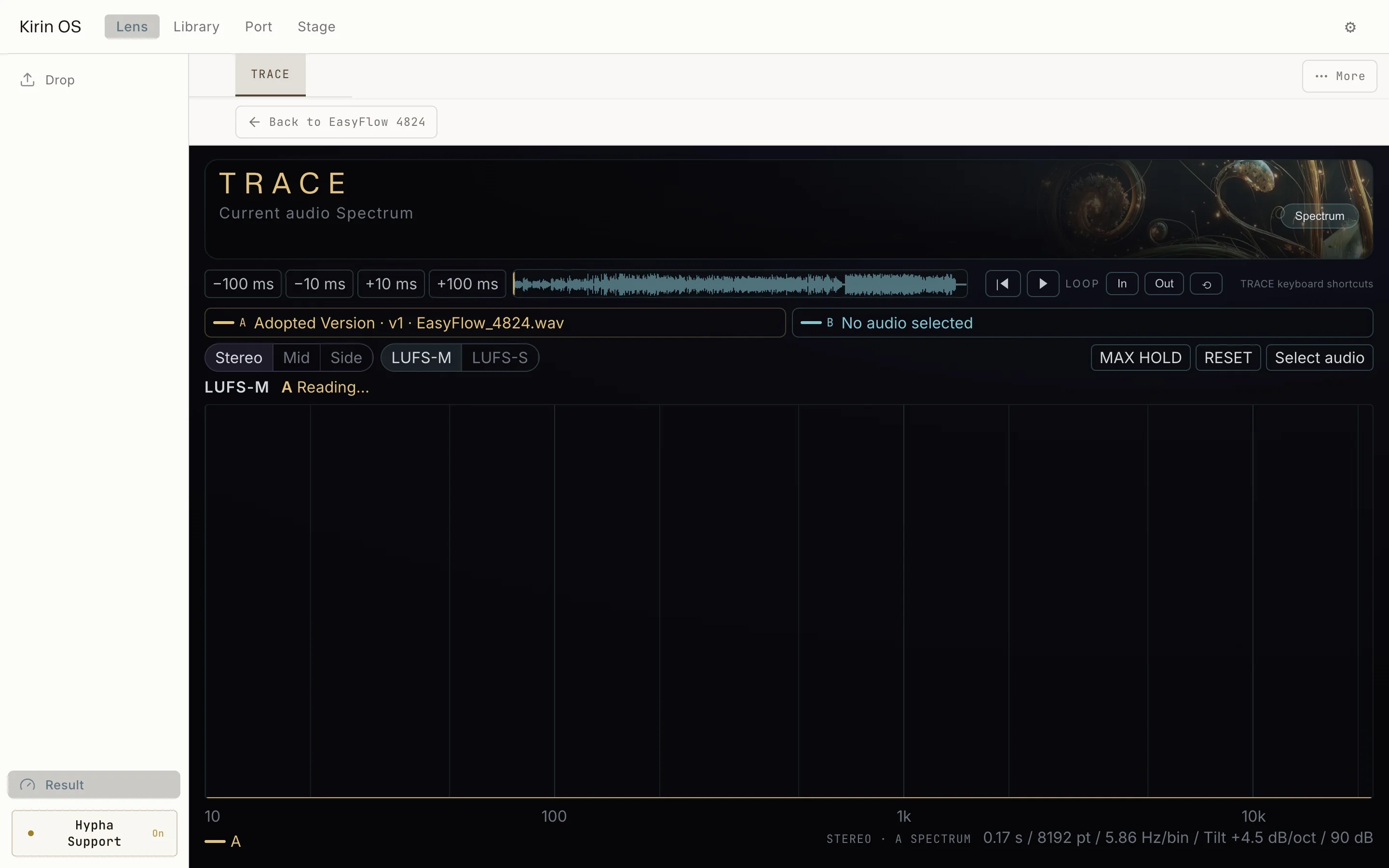
Current Kirin OS TRACE view showing PRE and POST change
TRACE / PRE and POST comparison
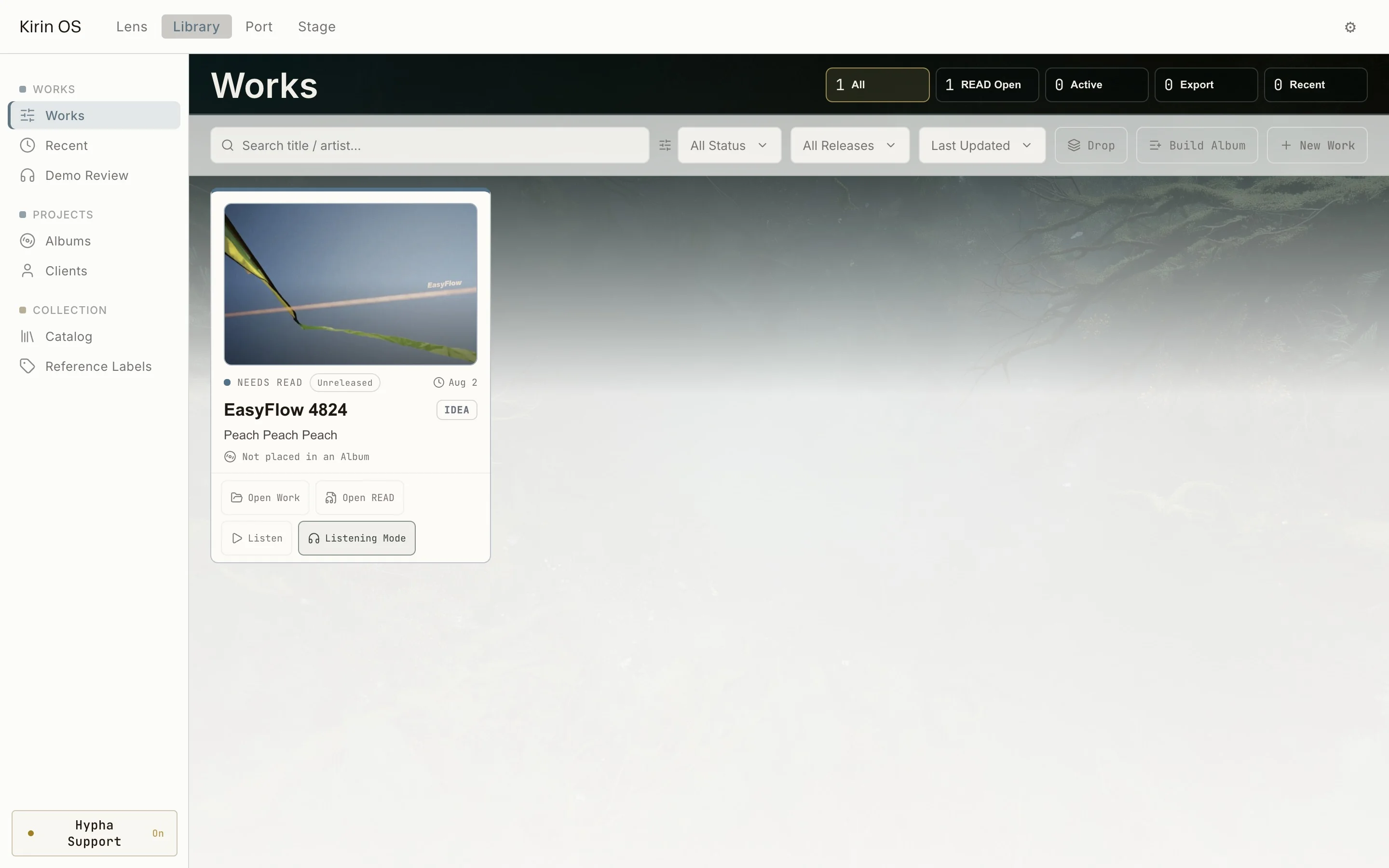
Current English Kirin OS Works screen showing saved song records and READ status
Works / saved song records
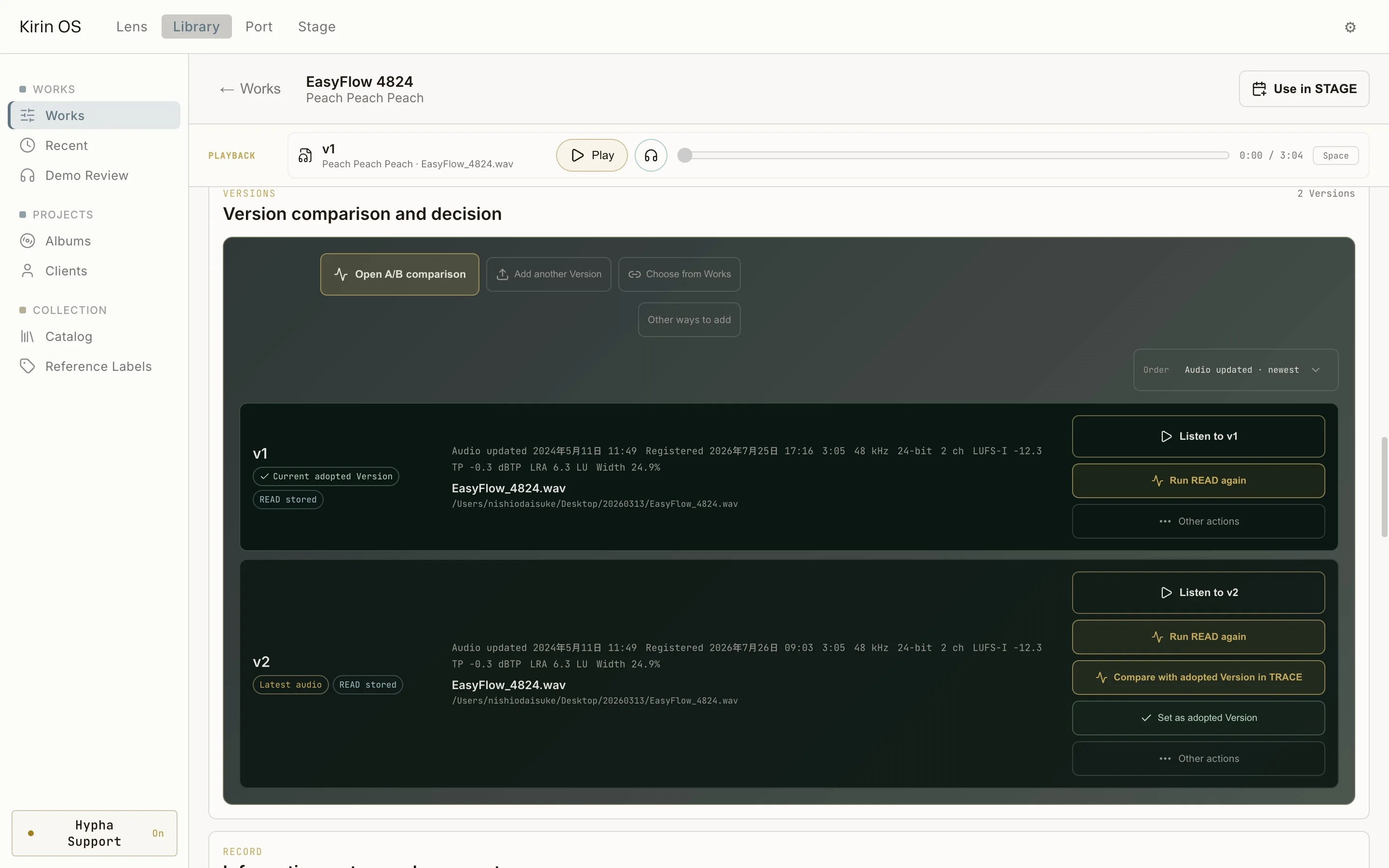
Current English Kirin OS Versions screen with persistent playback and two saved versions
Versions / comparison and decision
MCP / three record operations
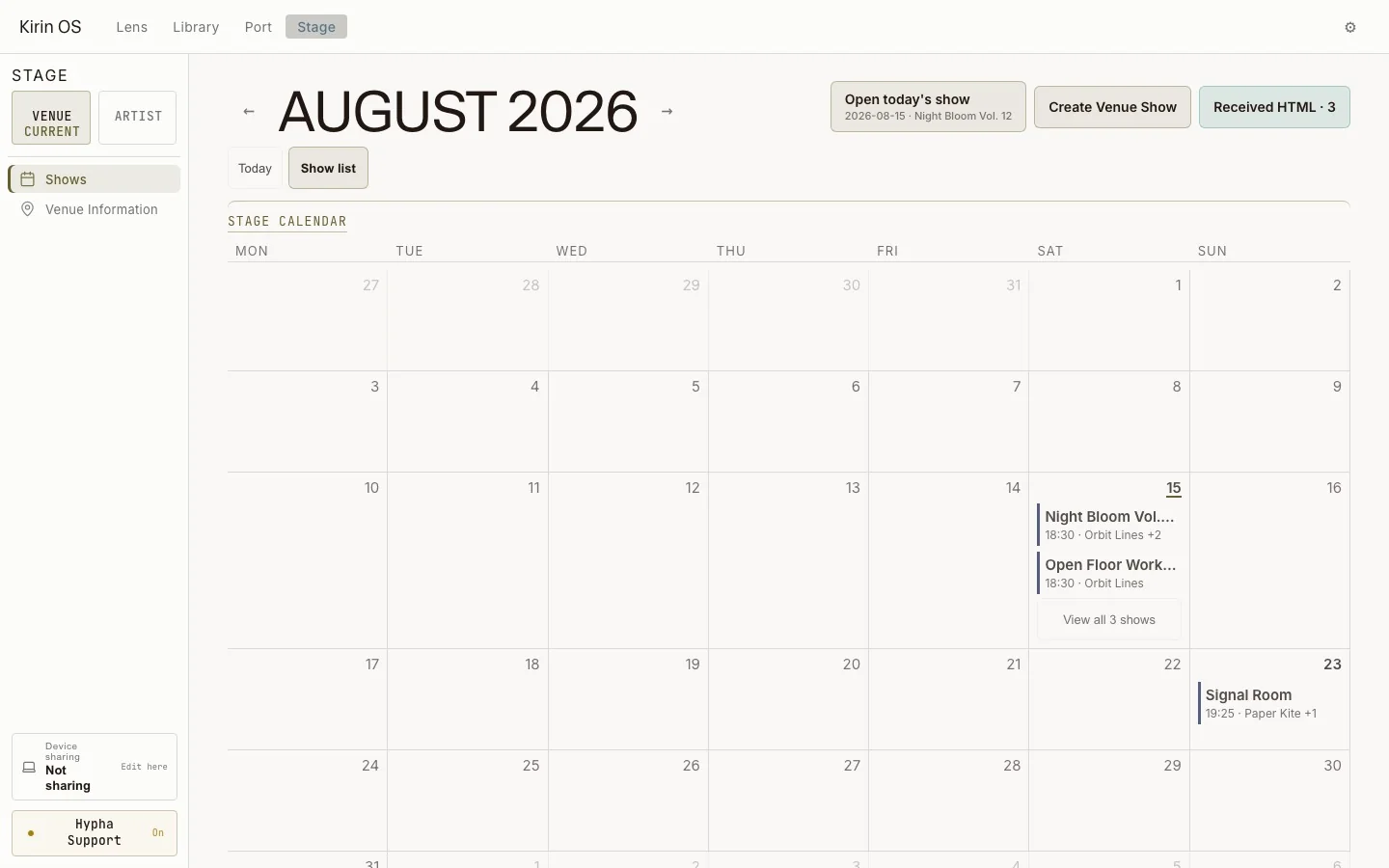
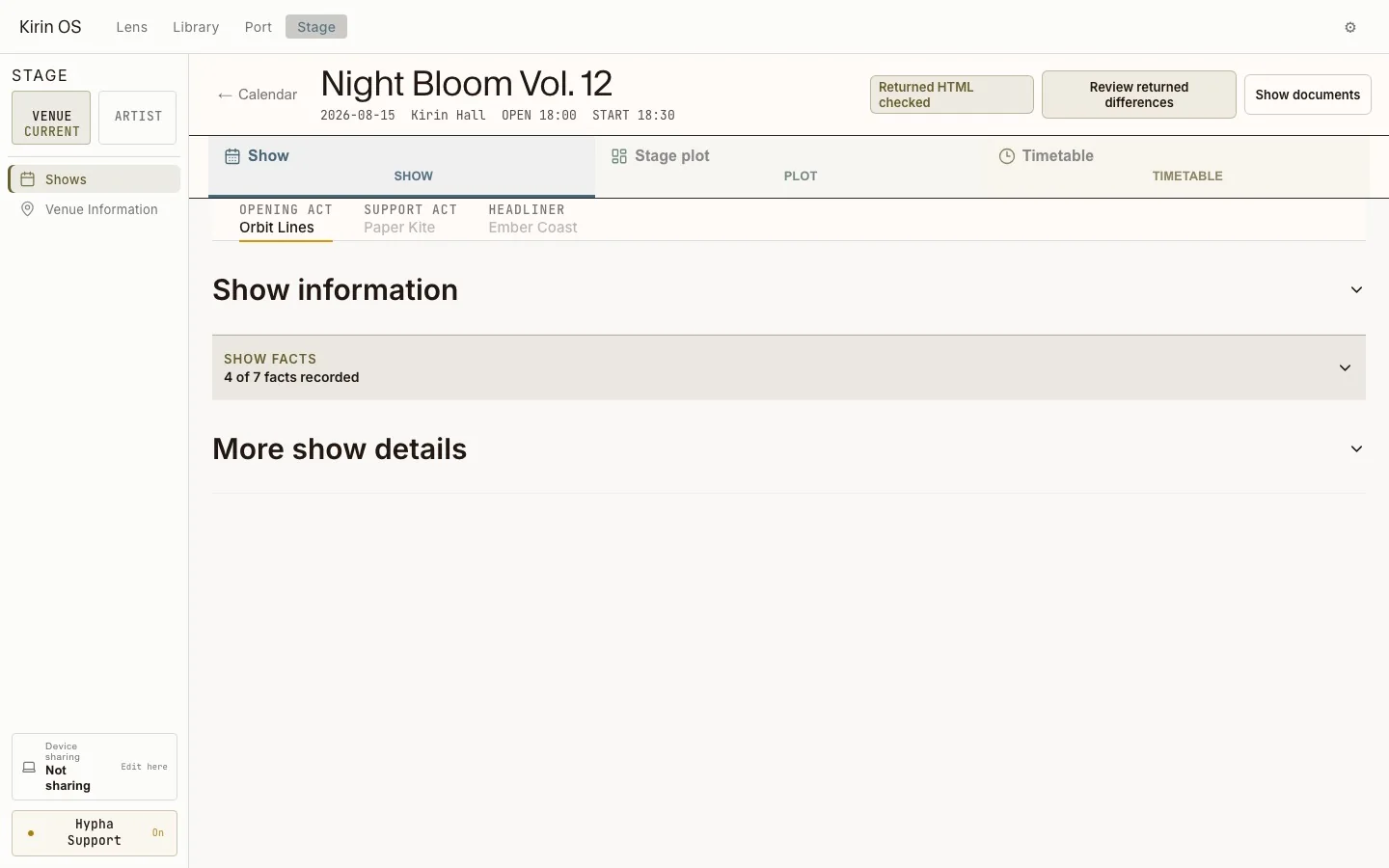
Current English Kirin OS Stage show overview
Stage / show overview
Current English Kirin OS Stage record where MCP proposals are reviewed before application
MCP / review proposed changes in Stage
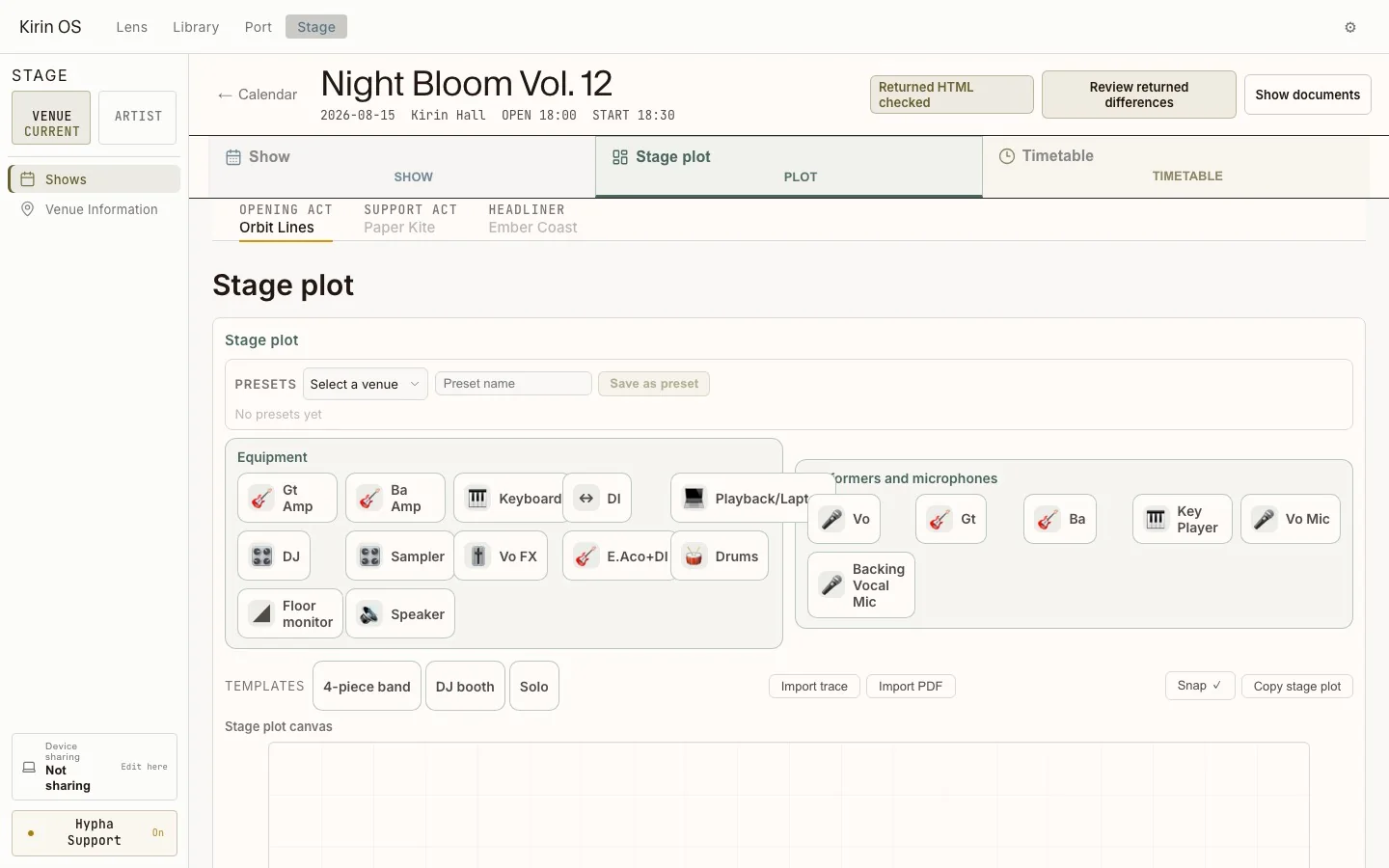
Stage Plot / performer and equipment positions
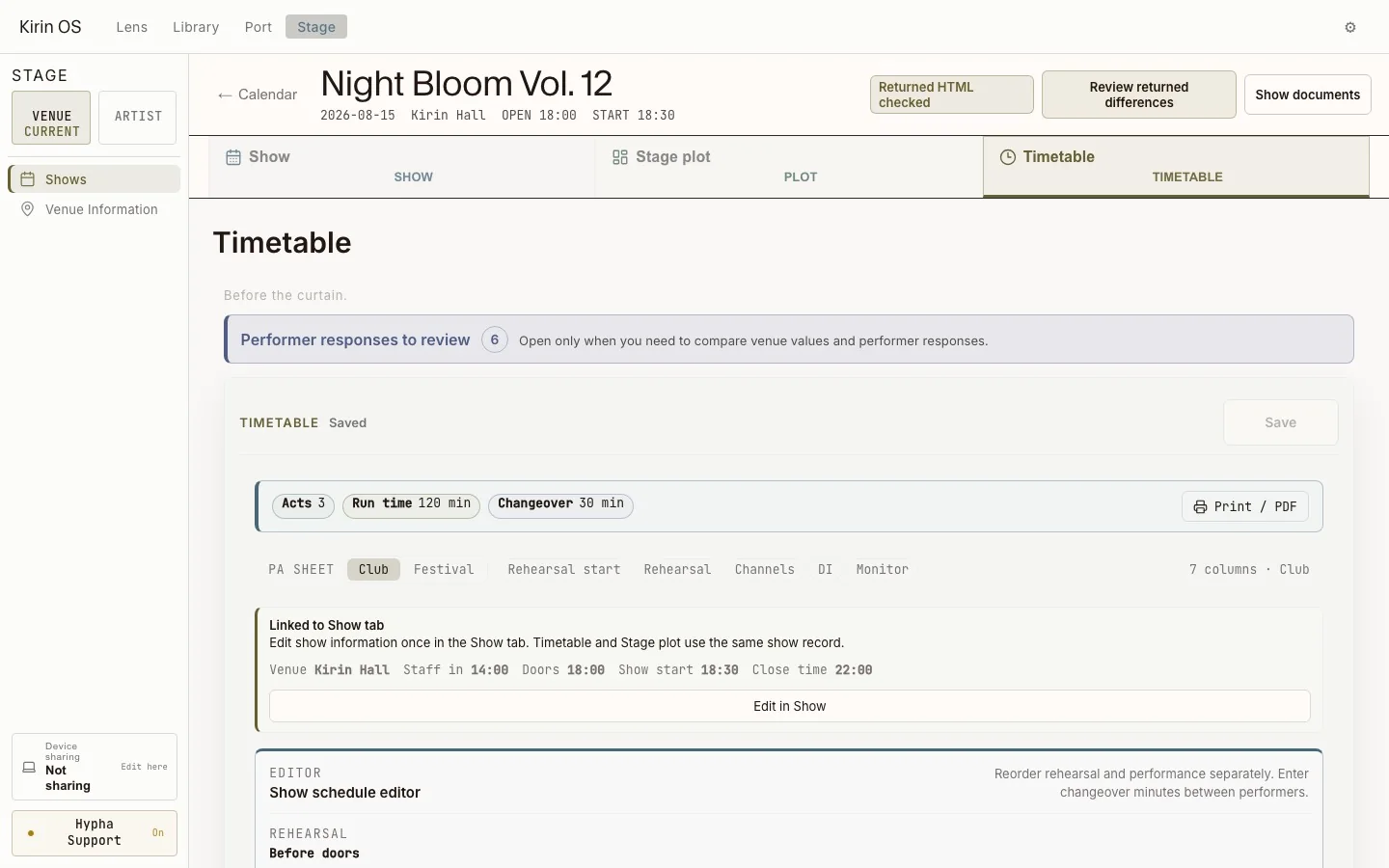
Current English Kirin OS Stage timetable and run sheet
Timetable / set order and timing
Current English Kirin OS print preview for the day-of schedule and show documents
Day-of / print preview and show documents
History / saved show records
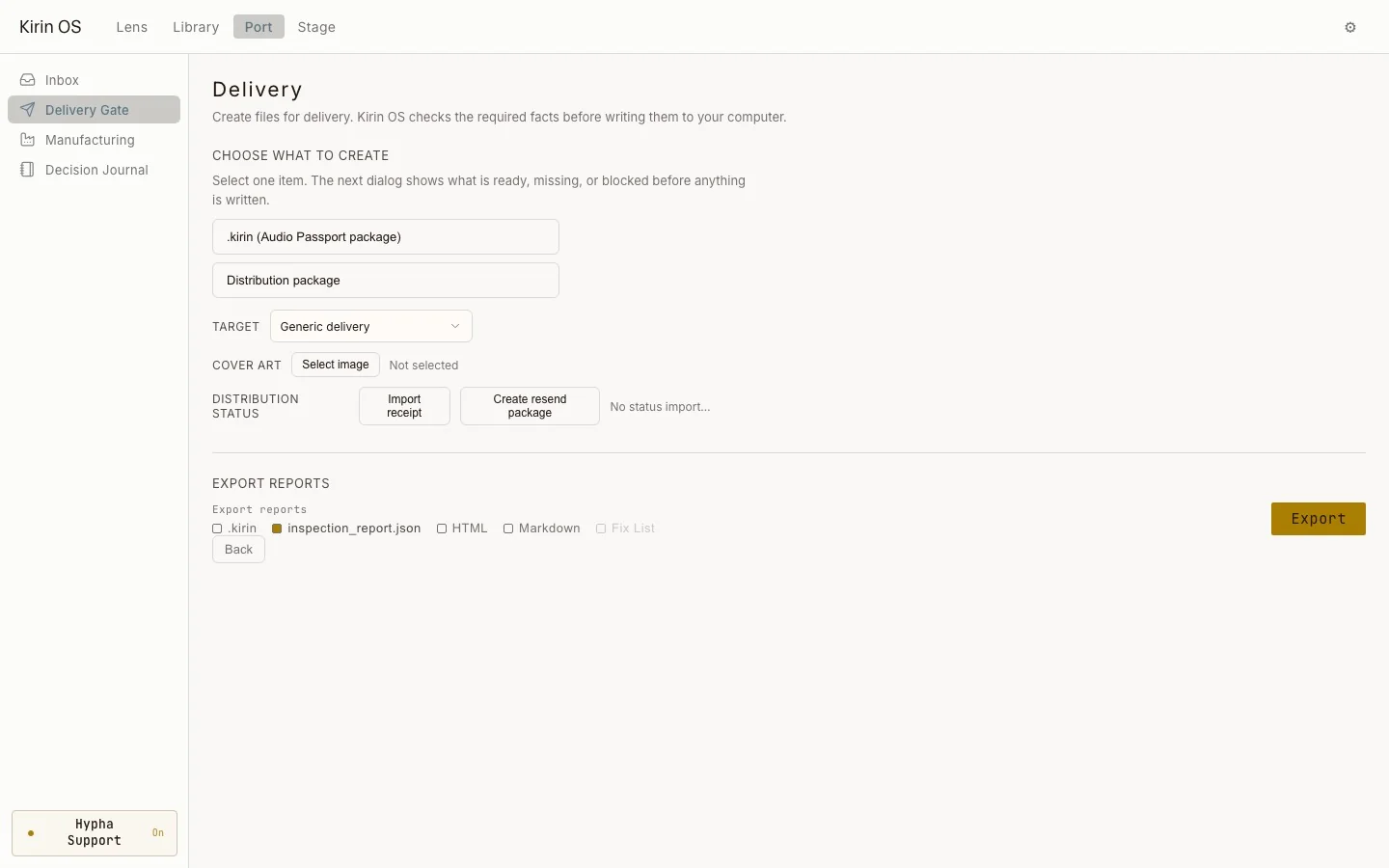
Current English Kirin OS Delivery Gate screen
Port / Delivery Gate
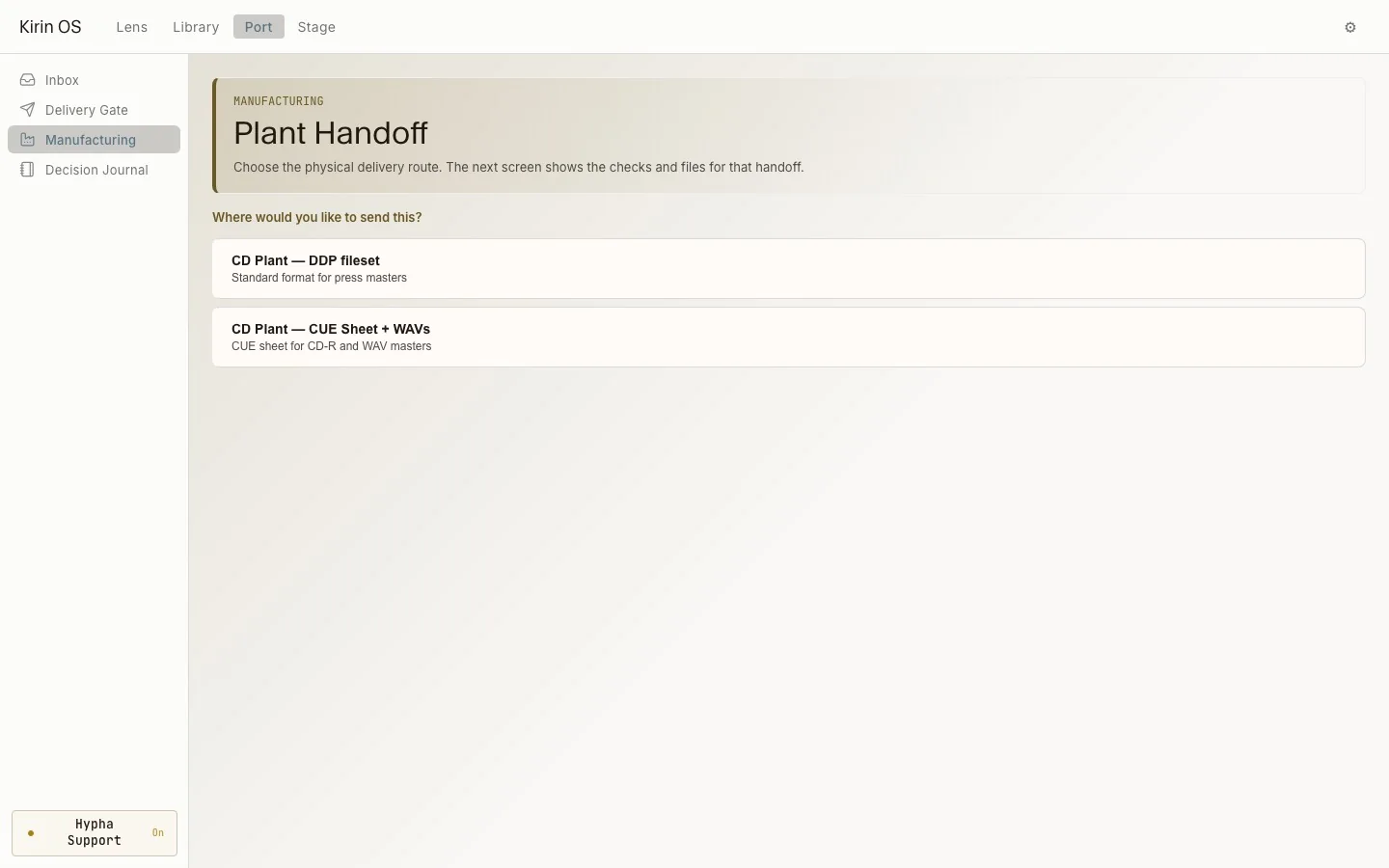
Current English Kirin OS Manufacturing screen transitioning into the Release habitat
Release / Manufacturing
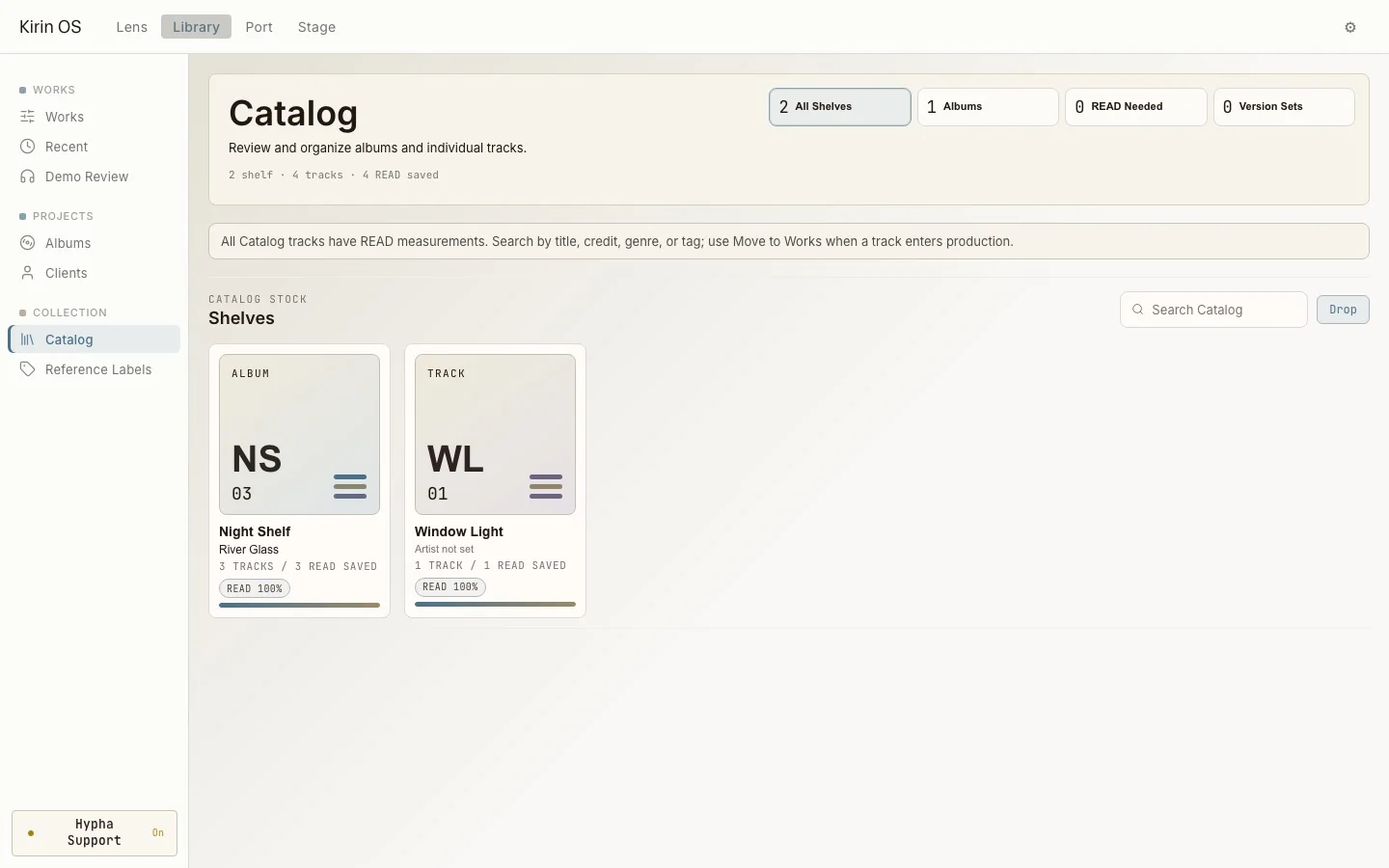
Current English Kirin OS Catalog showing the citymovie shelf and its measured record
Catalog / citymovie Work
  1. 01 / Source

    A song's record begins with Drop.

    Drop an audio file to begin measurement. Supported HTML, JSON, and .kirin files are read as the records they contain.
    • WAV
    • FLAC
    • AIFF
    • DSD
    • source path
  2. 02 / Studio Passport

    Keep a record of your usual setup.

    Register the DAW, monitors, plugins, and hardware you use, and keep that environment with the song's record.
    • Setup Wizard
    • DAW profile
    • Plugin Library
    • Hardware
    • Inventory
  3. 03 / Signal Flow

    Record the signal path.

    Signal Flow shows the buses, auxes, and return slots registered in Studio for the song.
    • Bench
    • Bus Defaults
    • Aux Defaults
    • return slots
    • DAW Project
  4. 04 / Hypha PRE

    PRE goes at the start of the chain.

    Place PRE at the beginning. Hypha passes the audio signal through and measures its absolute values.
    • PRE
    • True Peak
    • LUFS-M
    • Crest
    • 400 ms frame
  5. 05 / Hypha POST

    POST goes at the end of the chain.

    Pair PRE and POST to see differences and maximum values across the plugin chain placed between them.
    • POST
    • pairing
    • heartbeat
    • delta
    • audio unchanged
  6. 06 / Drop

    Measure the audio file.

    Drop one audio file or a supported stem set into Lens to begin local measurement.
    • Drop
    • Quick Analyze
    • matched stems
    • Catalog Intake
    • .kirin
  7. 07 / READ

    See the song-level measurements.

    READ shows measured values such as loudness, True Peak, LRA, width, and crest, together with their movement across the Perception Map timeline.
    • Loudness
    • True Peak
    • LRA
    • Width
    • Crest
    • Perception Map
  8. 08 / INSPECT

    Return to the position of a sound.

    INSPECT shows detected hiss, click, and crackle events by timecode, so you can play each position and check it by ear.
    • event
    • timecode
    • hiss
    • click
    • crackle
    • Fixed EAR
  9. 09 / STEM

    Check each stem.

    Arrange received drum, bass, guitar, vocal, and other stems by role, then check the measurements for each file.
    • stem roles
    • channel metrics
    • Studio flow
    • DAW return
    • export
  10. 10 / MASKING view

    See where time and frequency overlap.

    See where multiple audio files overlap across time and frequency, and listen to the same positions.
    • time x band
    • overlap
    • Stem mode
    • Free mode
    • A / B
  11. 11 / TRACE view

    Review PRE and POST absolute values and differences while listening.

    Review the absolute values, differences, and band displays for True Peak, loudness, crest, sharpness, and PSR while listening.
    • PRE / POST
    • Delta
    • Bands
    • Loudest
    • Peak
    • Biggest TP delta
  12. 12 / Works

    Return to a saved song record.

    Works lists saved songs with their READ status, Version count, and last update, so you can open the record you need.
    • Works
    • song records
    • READ status
    • Versions
    • last updated
  13. 13 / Versions

    Compare older and newer versions.

    Listen to each version and compare its measurements. Each version includes its measurement differences, Comments, and Links.
    • Versions
    • previous / current
    • measured delta
    • Comments
    • Links
  14. 14 / MCP and Context

    Read and write the song's record with MCP.

    A compatible MCP client can read a selected local record and propose an addition or update. Review the proposal before applying it to the record.
    • MCP
    • Decision Journal
    • Stage proposal
    • Work metadata
    • local record
  15. 15 / Stage Calendar

    Add the show to the calendar.

    Use the song's information to schedule a live show or performance.
    • Schedule
    • Shows
    • performers
    • venue
    • revision
  16. 16 / MCP Update

    MCP proposes the change.

    When changed show information arrives, Kirin OS places the earlier and received values side by side. Review the proposal and apply the changes you need.
    • MCP proposal
    • received value
    • earlier value
    • apply
    • record only
  17. 17 / Stage Plot

    Build the Stage Plot on screen.

    Choose and place the performers, inputs, monitors, and other stage details on the screen.
    • Stage Plot
    • inputs
    • monitors
    • placement
    • changeover
  18. 18 / Setlist and Timetable

    Make the Setlist and Timetable.

    Add the song order and duration, then use them with the Run Sheet.
    • Setlist
    • Timetable
    • Run Sheet
    • duration
    • track facts
  19. 19 / Day-of

    Prepare the day-of documents.

    Put the schedule, venue and equipment information, and other day-of details in one place. Print them directly or carry them as Offline HTML.
    • Day Sheet
    • PA Sheet
    • Venue Pack
    • PA cues
    • lighting cues
    • Offline HTML
  20. 20 / Show History

    Save the show in Show History.

    For each show, save the performers, Setlist, flyer, day-of documents, and revision history.
    • Record
    • Archive
    • Show History
    • revision history
    • day-of facts
  21. 21 / Port

    Hand the song and its record to the next person.

    Check received files in Inbox, then send a .kirin package, HTML report, CUE Sheet, or other prepared record through Delivery Gate. The song does not travel alone; its record goes with it.
    • Inbox
    • Delivery Gate
    • .kirin package
    • HTML report
    • CUE Sheet
    • Decision Journal
  22. 22 / Release

    Check the release information.

    Review credits, distribution, ISRC, UPC, DDP, CUE, and other release details together. Kirin OS also supports DDP READ / WRITE / VERIFY.
    • Release
    • distribution
    • ISRC / UPC
    • DDP READ / WRITE / VERIFY
    • Manufacturing
  23. 23 / Catalog

    The song lives on in records and memories, with the people who make and hear it.

    Measured songs enter the Catalog. Just as a bookshelf reveals something about its owner, Catalog keeps each person's records and memories. When the song calls you back, you can return to it.
    • Collection Catalog
    • Shelf
    • Albums
    • release groups
    • versions
    • stored IDs
A luminous fungal city reflected in still water

Release

Kirin OS 1.0 Official Release

Launch Menu is available through September 30, 2026.
Hypha is free, Sense is $39, and Kirin OS is $297.